What is Claude Code cloud hosting?
Cloud hosting moves the machine that executes Claude Code away from your laptop. The agent reads files, edits code and runs commands on the hosted environment. Your browser provides access; your local computer does not need to perform the agent’s compilation or test work.
A32 provides an independent hosted environment with Claude Code preinstalled. It is not Anthropic’s own cloud-session service and is not affiliated with Anthropic. Choose the provider’s native service if that workflow fits better; choose A32 when you want a personal machine you can also control through an API.
Can I use my Claude subscription?
You can sign in to the unmodified Claude Code CLI through Anthropic’s own authentication flow, using your own eligible account. Alternatively, configure your own provider API key. Your provider account and usage are separate from A32 hosting. Eligible subscriptions and API keys have different billing and limits. Sign in through the provider’s own flow; A32 does not sell model access or unlimited tokens.
Anthropic distinguishes personal CLI use from applications routing other users’ requests. Review its hosting and authentication guidance for your intended use. A32’s machine API does not turn a subscription into an unrestricted Claude model API.
How do I start a remote Claude Code workspace?
- Create an A32 account and receive the configured welcome hosting credit.
- Create a machine. Review its awake, sleeping and disk costs before creation.
- Open the browser terminal and start
claude. Complete the provider’s own login flow. - Open Run agent and give Claude a small task in your project. Inspect the result and job status.
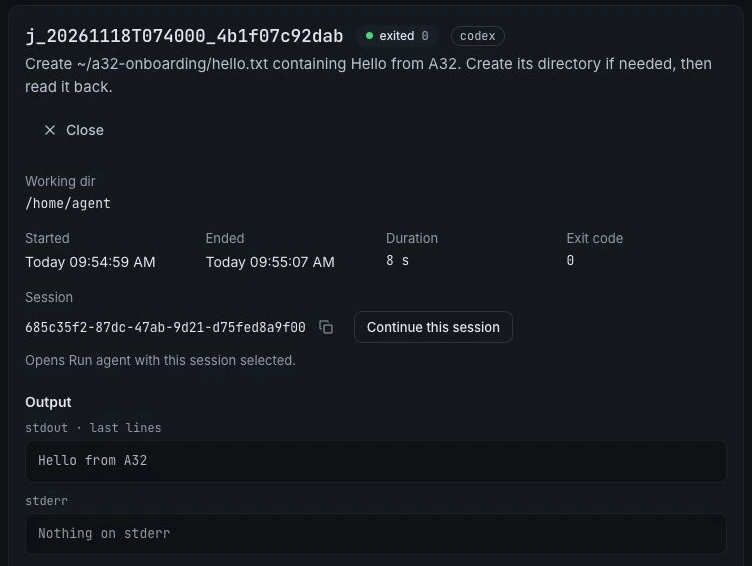
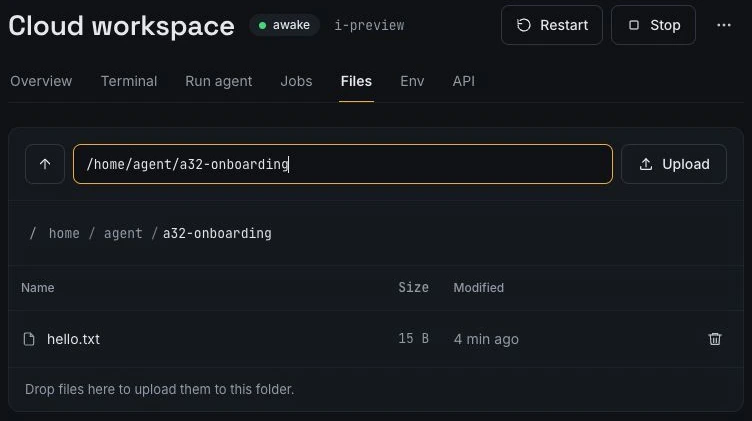
For a first check, ask the agent to create ~/a32-onboarding/hello.txt, read it back, and report the contents. Review generated changes before using them in a real project.
Will work continue when I close my laptop?
Managed running jobs keep the machine awake and continue when the browser disconnects. When the instance sleeps, processes stop; sleep preserves the home directory and saved logins, not live process memory. An interactive terminal session alone should not be treated as a promise of indefinite execution.
Read how persistence and sleep work, or send managed background jobs through the API.
Published by agent-32 · Reviewed 18 November 2026.